
 Join our Discord
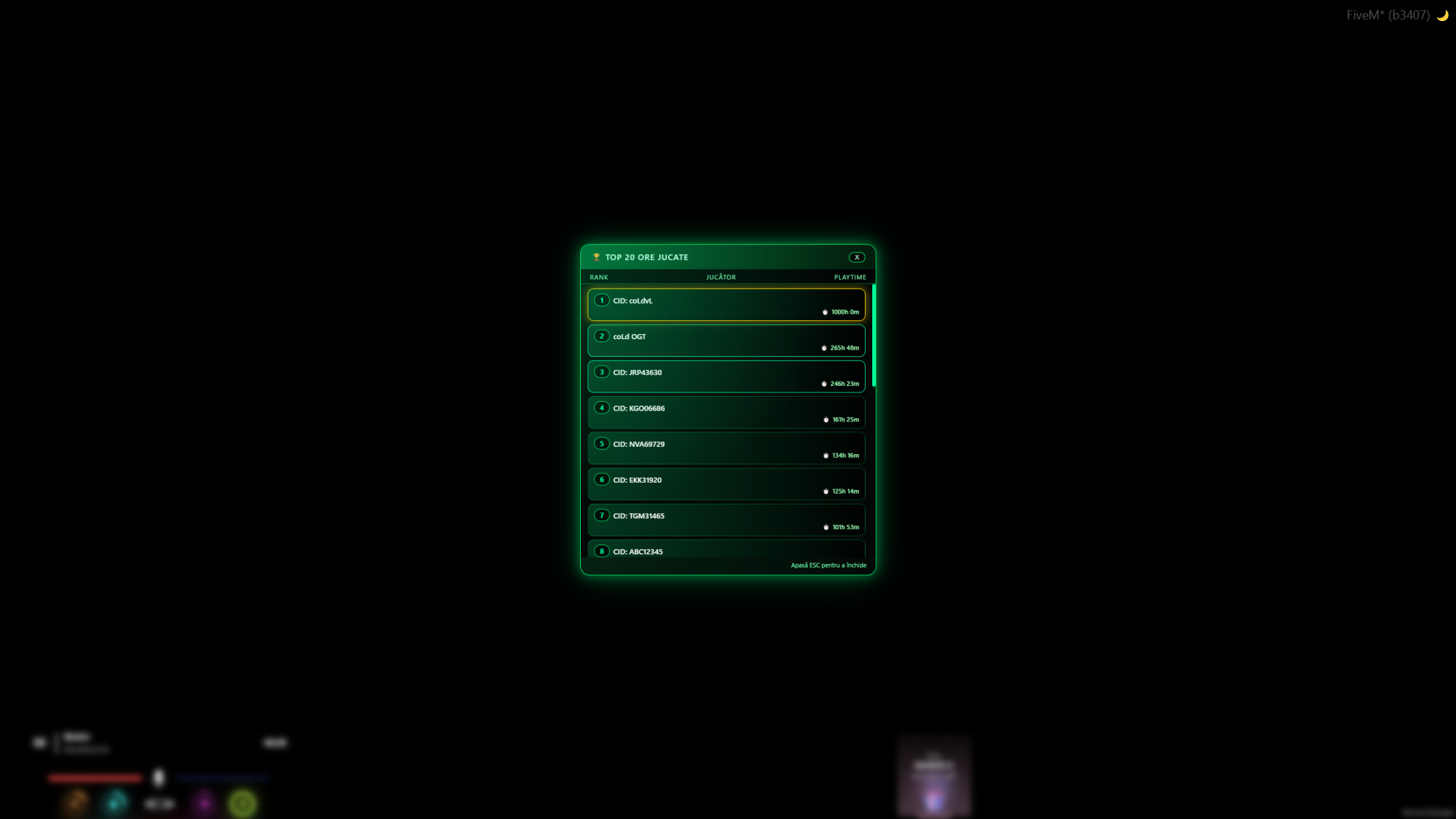
coLdStudio Playtime & Top Hours UI
Turn playtime into a clean, visual leaderboard for your players.
Tracks total time played per character and shows a modern NUI leaderboard with the top 20 most active players on your QBCore server.
🔥 Main Features
Accurate total playtime tracking
- Stores total playtime in seconds per
citizenidin its own database table. - Automatically updates playtime while the player is online.
Modern NUI Top 20 leaderboard
- Players can open a neon‑styled UI listing the top 20 players by total playtime.
- Each entry shows rank, player name and formatted time (
Xh Ym).
Player & staff commands
- Includes commands for self-check, other player check and the Top 20 UI.
- Command names are fully configurable in
config.lua:-
/myhours– check your own total playtime. -
/hours [id]– check another player’s playtime by server ID. -
/tophours– open the Top Hours NUI leaderboard.
-
Protected staff group (GOD)
-
Config.ProtectedGroup = 'god'by default. - Normal players cannot check playtime for protected group members.
Config‑driven behavior
- All commands, messages and the protected group are handled from
config.lua. - Server owners never need to modify the core server/client logic.
Optimized & escrow‑ready
- Client only manages NUI + basic events, all heavy logic is server‑side.
- Structured to work with CFX Asset Escrow while keeping config and UI files open.
⚙️ Configuration
config.lua is fully open and includes:
-
Config.CommandMyTime– default/myhours(own time). -
Config.CommandOther– default/hours(other player time). -
Config.CommandTop– default/tophours(Top Hours NUI). -
Config.ProtectedGroup– defaultgod(cannot be checked by normal players). -
Config.Messages– all notifications can be translated or customized:-
noCharacter– no active character. -
invalidId– invalid ID. -
invalidPlayer– invalid player. -
needId– missing player ID. -
protectedPlayer– cannot check GOD group. -
noPlaytimeTarget– target has no recorded playtime. -
noPlaytimeSelf– auto‑creates entry with 0 seconds if you had none.
-
Everything server owners need to tweak is centralized in config.lua, while the core logic remains untouched.
📦 Requirements
-
qb-core(QBCore framework). -
oxmysql(MySQL resource for all queries).
🗄️ Database
The script uses its own dedicated table:
-
player_playtime-
citizenid– QBCore citizen ID. -
playtime– total playtime in seconds.
-
SQL file sql/playtime.sql is included for quick import.
🧰 Commands
All command names are configurable, defaults:
-
/myhours- Shows your total playtime in hours, minutes and seconds.
-
/hours [id]- Shows total playtime for another online player by server ID.
- Respects
Config.ProtectedGroup(e.g.god).
-
/tophours- Opens the NUI leaderboard with the Top 20 most active players.
🔧 Installation
- Place the resource in your
resourcesfolder (e.g.coLd-Playtime). - Import
sql/playtime.sqlinto your database. - Configure
config.lua(commands, messages, protected group). - Ensure
qb-coreandoxmysqlstart before this resource. - Add
ensure coLd-Playtimeto yourserver.cfgand restart your server.
🔒 Asset Escrow
- Sold as a CFX Asset Escrow resource.
- The following files remain open:
-
config.lua -
html/index.html -
html/style.css -
html/app.js -
sql/playtime.sql
-
- Client and server logic are protected to prevent leaks while keeping all important configuration fully accessible to server owners.
🛠️ Support
- Support via Discord:
https://discord.gg/aSc68qzPHj - When opening a ticket, please include:
- Your FiveM build and QBCore version.
- Any server/client console errors.
- Your
config.luachanges (or screenshots).