
 Join our Discord
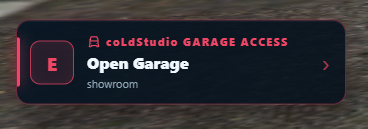
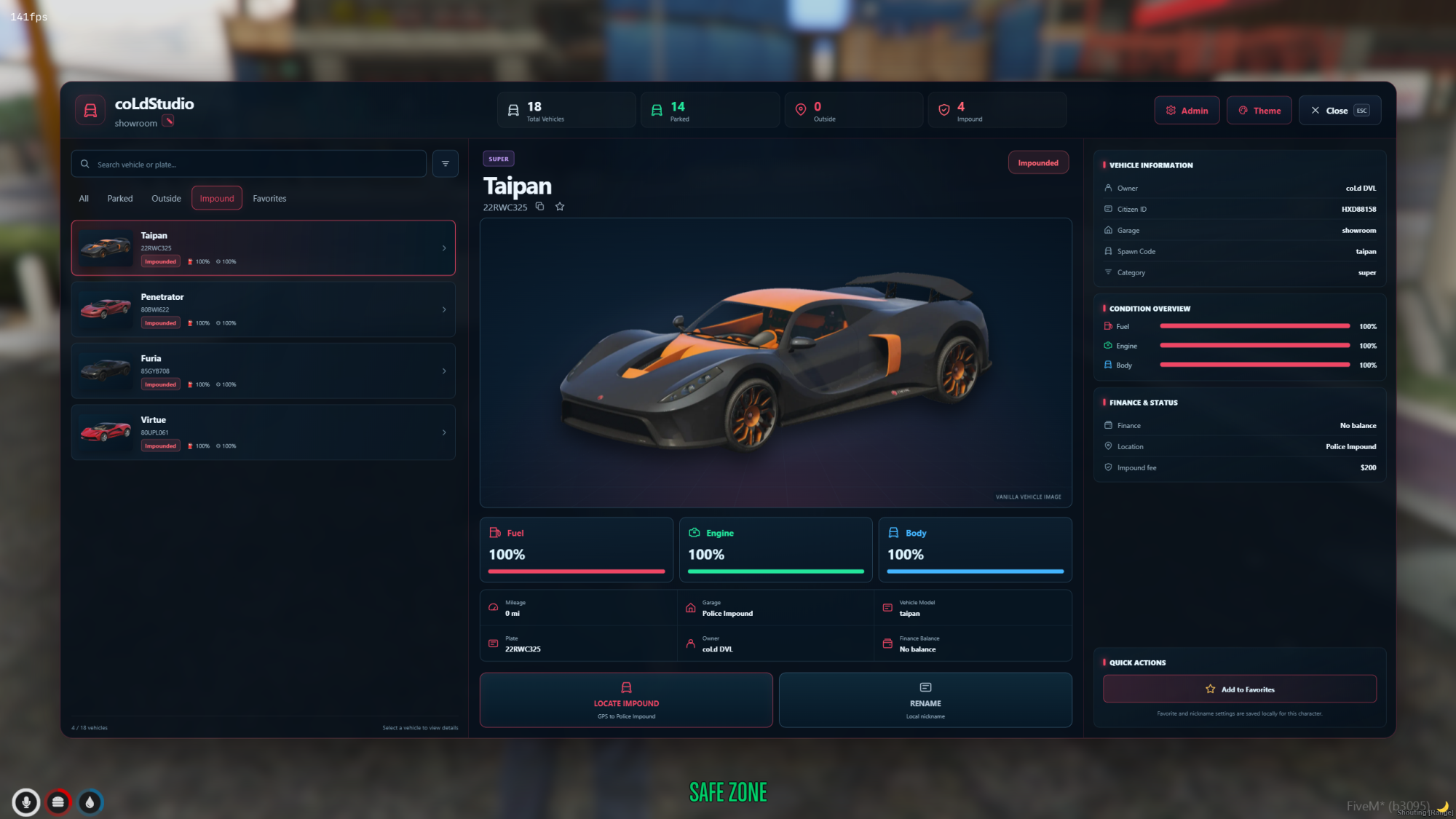
🚗 coLdStudio Advanced Garage System – QBCore
A premium, modern and highly configurable garage experience for FiveM roleplay servers.
Take vehicle management to the next level with a beautifully designed garage interface, dynamic garage administration, Police & Gang fleets, vehicle previews, impound management and much more.
Built for QBCore, with configurable integrations, automatic database setup and full source-code access.
🔥 Main Features
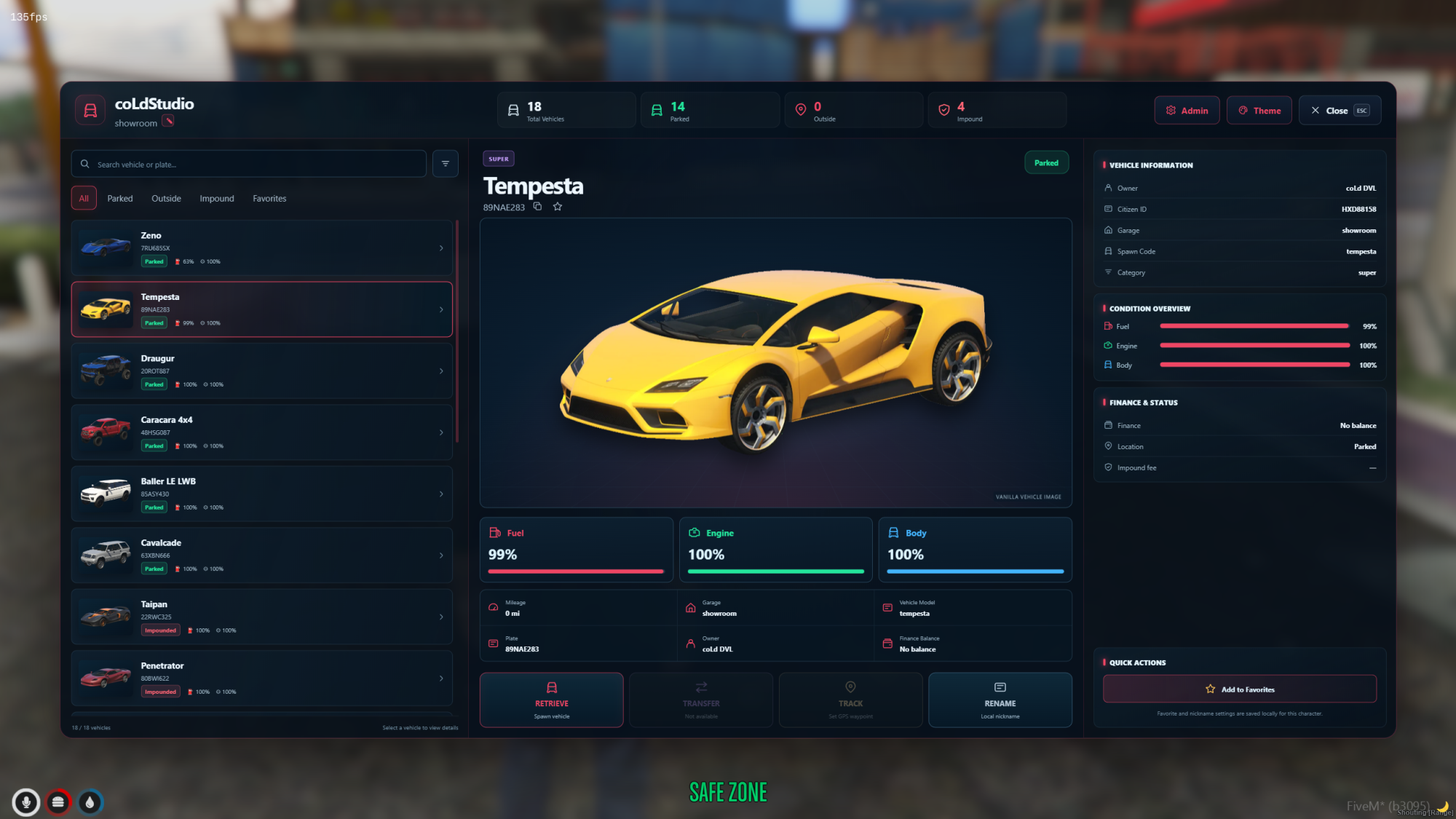
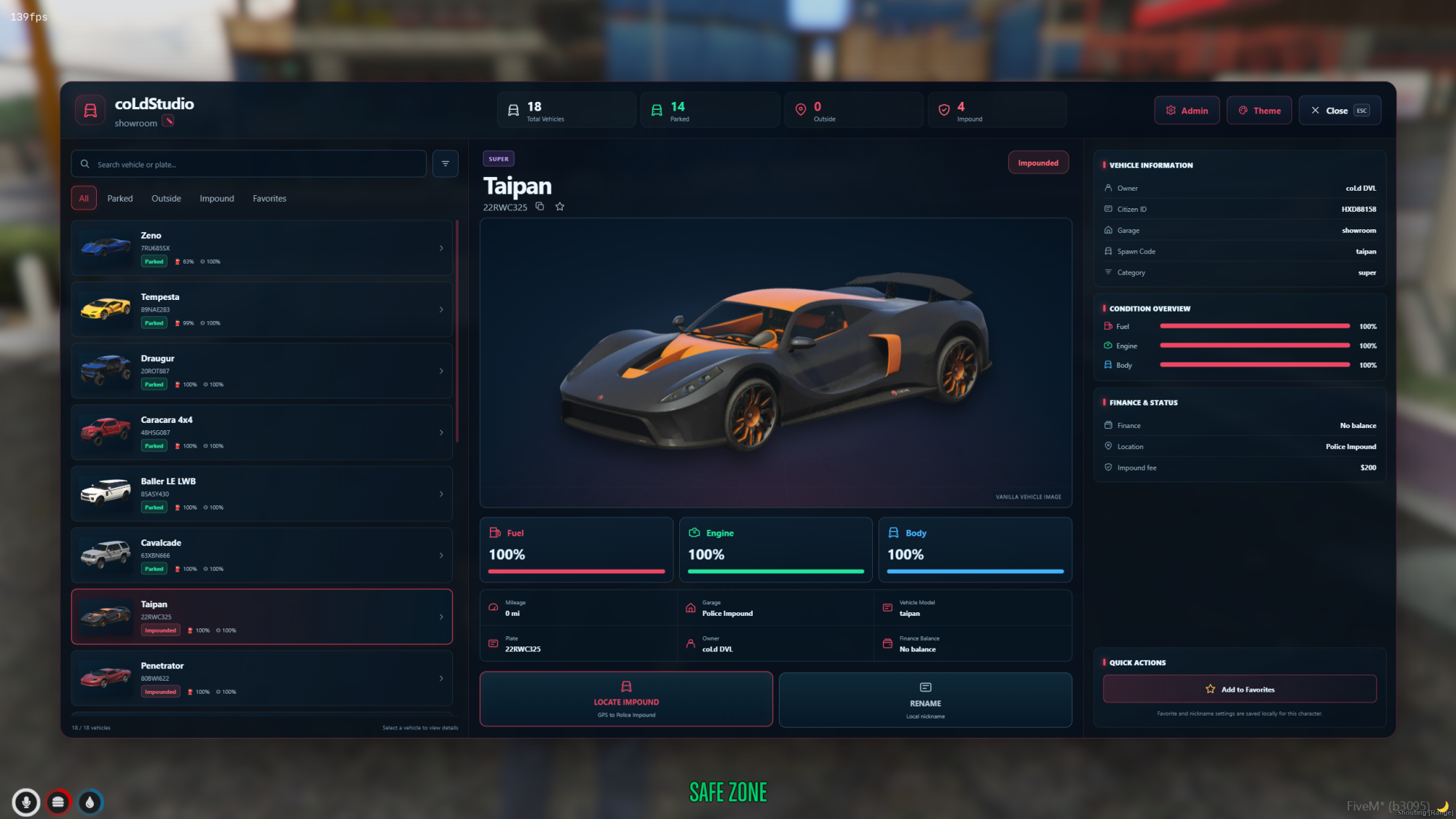
🚗 Premium 3-Column Garage UI – Modern dark glass design with detailed vehicle information.
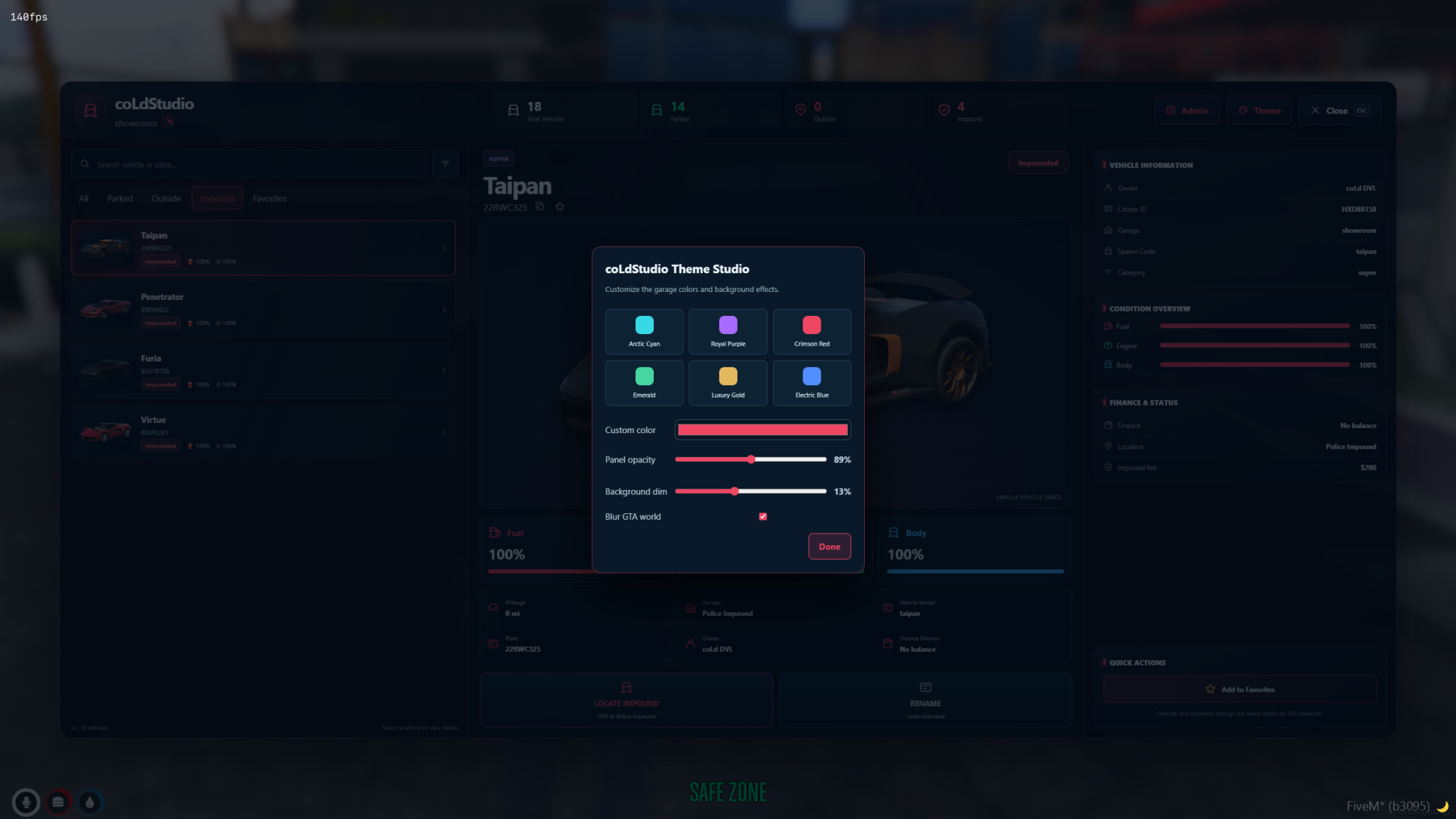
🎨 6 Customizable Themes – Personalize the interface to match your server.
🖼️ Automatic Vanilla Vehicle Previews – Optional online vehicle images with customizable CDN and fallback support.
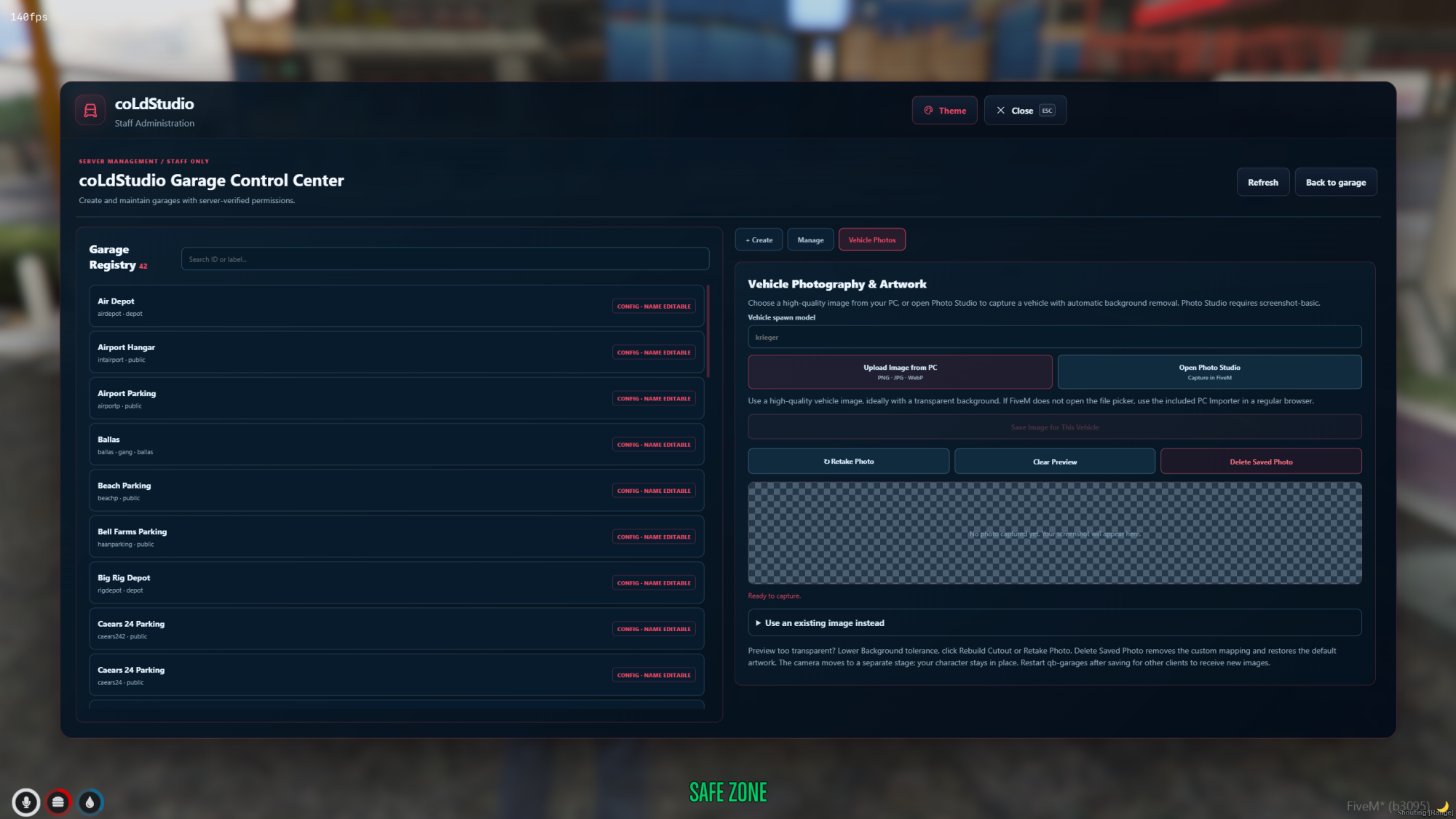
📸 Integrated Vehicle Photo Studio – Capture and manage custom vehicle images.
📍 Public / Private / Job / Gang / House Garages
🚓 Police Impound System – Vehicle confiscation, release fees and dedicated police interface.
🚔 Job & Gang Vehicle Fleets – Configurable vehicles, minimum grades and shared or individual fleet modes.
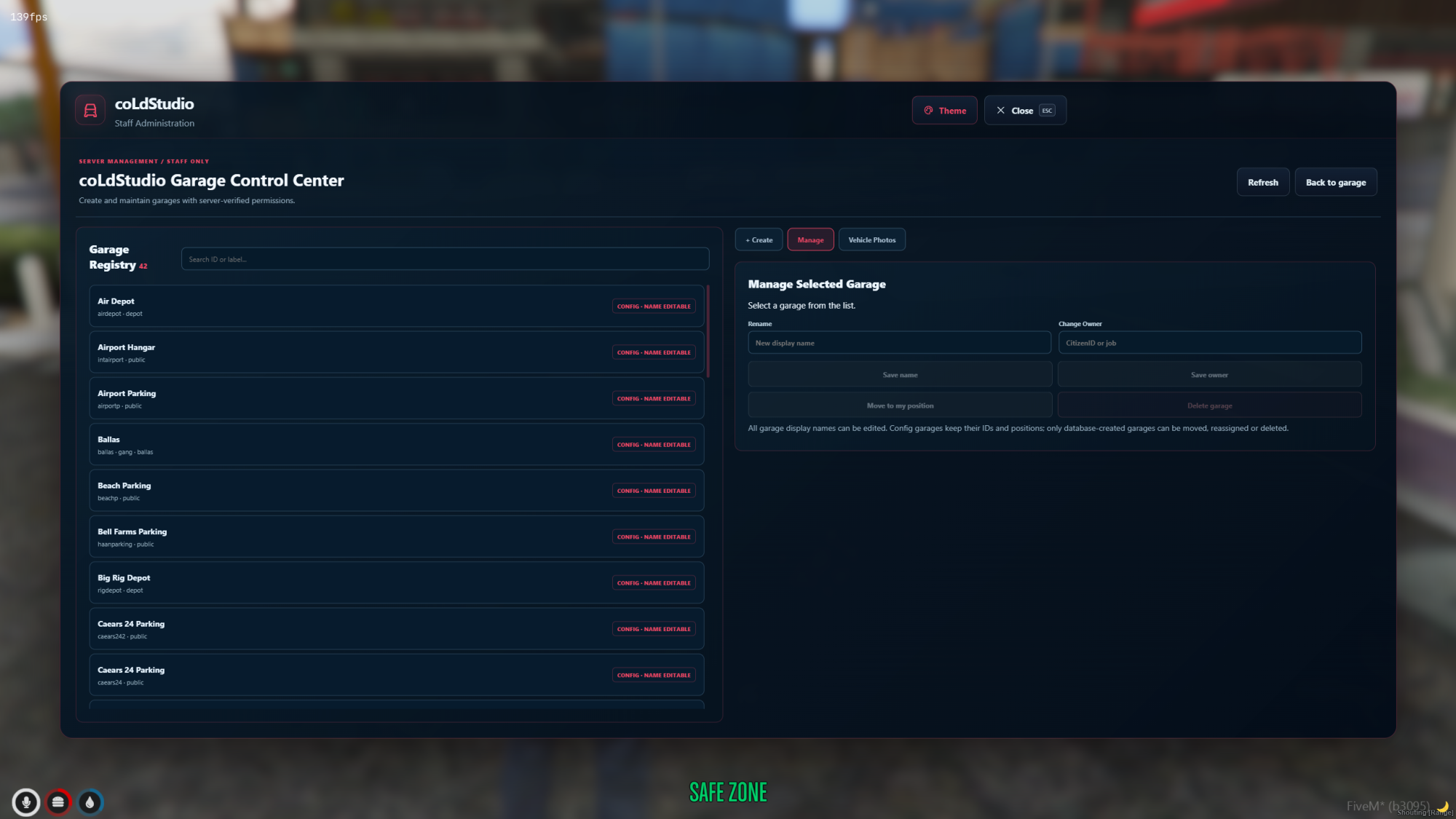
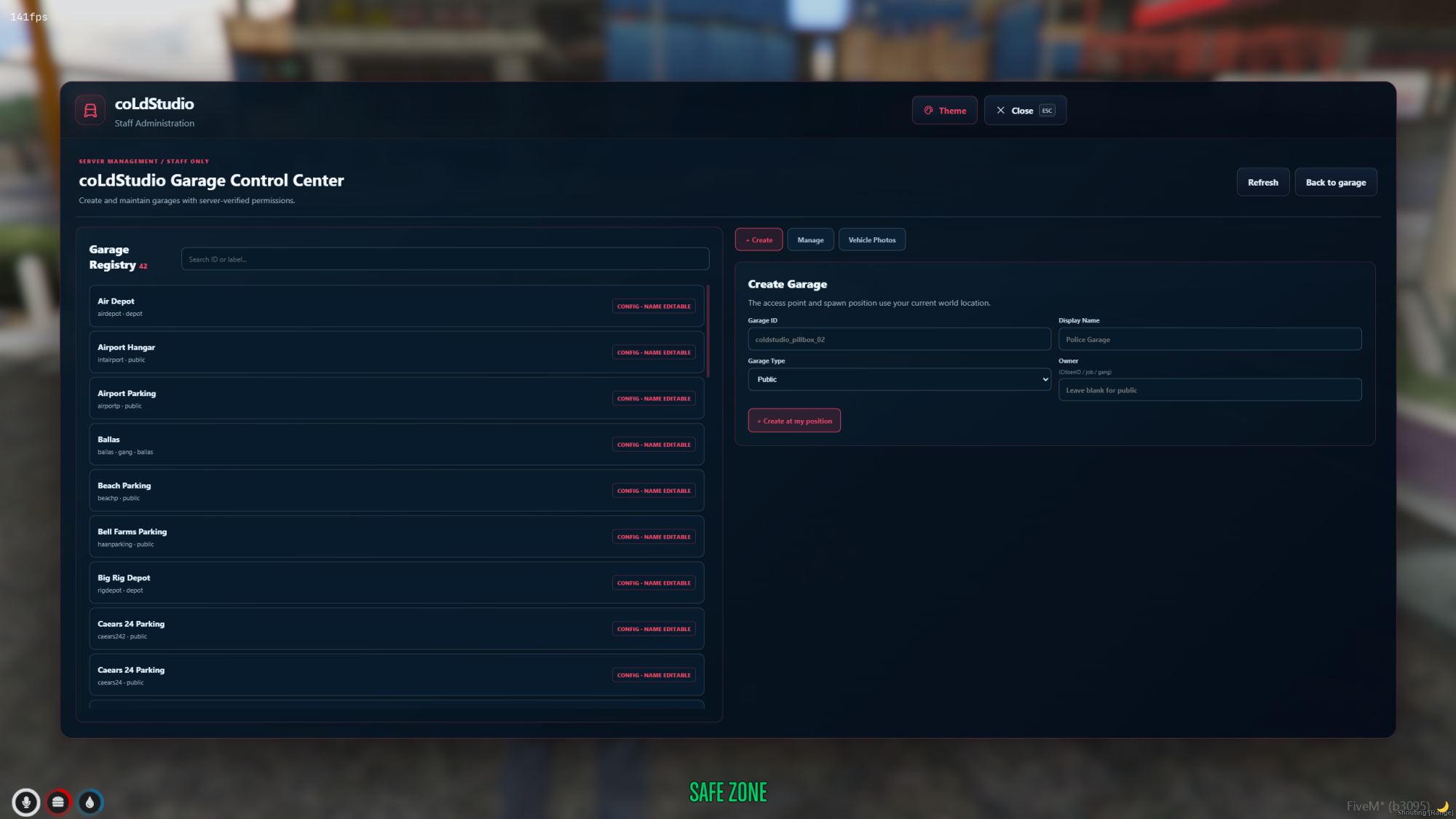
🛠️ In-Game Garage Admin Panel – Create, configure and rename garages directly in-game.
🔁 Garage Transfer System – Transfer vehicles between allowed garages.
🚜 Vehicle Tow & Recovery System – Recover vehicles with configurable fees and server-side validation.
⏱️ Automatic Vehicle Recovery – Configurable recovery behavior after resource restart.
💰 Garage Fees – Configurable retrieval, parking, transfer, towing and impound fees.
🛢️ Fuel, Engine & Body Synchronization
🧭 Vehicle GPS Tracking
🔎 Search, Filters & Favorites
🌐 Multi-Language Support – Included locale files.
🏷️ Custom Server Branding – Change the displayed garage brand directly from config.lua.
🔧 Fuel, Vehicle Keys & Notification Integrations
🗄️ Automatic SQL Migration – Database schema verification and setup at startup.
🧩 Advanced Systems
🚓 Police & Gang Garages
-
Dedicated job and gang vehicle fleets.
-
Grade-based vehicle access.
-
Individual and shared fleet modes.
-
Configurable vehicle models and display names.
-
Server-side job, gang and permission validation.
-
Separate fleet vehicles from personal vehicles.
🛠️ Garage Administration
-
Create and edit garages in-game.
-
Rename garages without changing their internal IDs.
-
Configure garage locations and vehicle spawn points.
-
Support for public, private and faction garage types.
-
Persistent SQL storage for dynamically created garages.
-
Admin permission restrictions.
📸 Vehicle Photo Studio
-
Capture custom vehicle photographs.
-
Configure vehicle preview images.
-
Import supported custom vehicle images.
-
Automatic fallback when no image is available.
🚓 Police Impound
-
Dedicated police impound command
/iv. -
Configurable police job access.
-
Impound reasons and release fees.
-
Vehicle location and release management.
-
Server-side authorization checks.
🔁 Garage Transfer
-
Transfer personal vehicles between eligible garages.
-
Configurable transfer fees.
-
Garage restrictions and ownership validation.
🚜 Tow & Vehicle Recovery
-
Recover vehicles registered as outside.
-
Configurable recovery fees and payment type.
-
GPS tracking for vehicles that still exist in the world.
-
Recovery handling for missing vehicles.
-
Anti-duplication safeguards.
⏱️ Restart Recovery
-
Configurable vehicle recovery after resource restart.
-
Helps prevent vehicles becoming permanently unavailable.
-
Safety checks for vehicles still occupied or existing in the world.
🔧 Configurable Integrations
Choose supported providers directly in config.lua.
Fuel: LegacyFuel, ps-fuel, lc_fuel, qb-fuel, ox_fuel and native GTA fuel handling.
Vehicle Keys: Legacy QBCore vehicle keys and supported server-side QBCore key exports.
Notifications: QBCore, ox_lib and okokNotify.
Compatibility depends on the installed versions and APIs of third-party resources.
🎨 Customization
-
Six UI themes.
-
Custom server branding.
-
Editable garage display names.
-
Configurable garage locations.
-
Vehicle image mappings and optional external CDN.
-
Configurable job and gang fleets.
-
Configurable prices, permissions and garage behavior.
-
Locale files for translations.
📦 Requirements
-
FiveM Server
-
qb-core
-
oxmysql
-
PolyZone
-
OneSync recommended
-
Compatible fuel/key resources according to configuration
-
qb-houses for supported house garage integrations
-
screenshot-basic for Photo Studio capture functionality
🗄️ Database
-
Uses the existing QBCore
player_vehiclestable. -
Supports persistent dynamic garages.
-
Includes automatic database schema migration.
-
Detects and adds missing supported columns.
-
Preserves existing vehicle records during normal additive migration.
Database backup recommended before installation.
🔧 Installation
- Download and extract the package.
- Place
qb-garagesinside your server resources. - Make a backup of your existing garage resource and database.
- Configure
config.luafor your server. - Start required dependencies.
- Add
ensure qb-garagestoserver.cfg. - Restart the resource and verify database initialization in the server console.
No manual SQL import is normally required when automatic migration is enabled.
Detailed installation documentation is included.
🔓 Open Source – GPLv3
✔ Full client-side source code
✔ Full server-side source code
✔ Editable NUI (HTML / CSS / JavaScript)
✔ Editable configuration and locale files
✔ GNU GPLv3 license included
✔ Source code can be modified
This product is not Asset Escrow protected.
✅ What's Included
-
coLdStudio Advanced Garage System
-
Premium Garage UI
-
Garage Admin Panel
-
Integrated Photo Studio
-
Police & Gang Fleets
-
Police Impound System
-
Vehicle Transfer / Tow / Recovery
-
Vehicle Image System
-
Integration Adapters
-
Automatic Database Migration
-
Locale Files
-
Full Source Code
-
Installation Documentation
🛠️ Support
Framework: QBCore
Developer: coLdStudio
Discord: https://discord.gg/aSc68qzPHj
External vehicle images require an available image provider and appropriate usage permissions. Third-party integration compatibility may vary by resource version.